Register for the Pep Boys program on the web
Check for a Pep Boys in range, register your company, sign. About a minute, and your whole fleet is enrolled.
Registration is a one-time enrollment for your company. Four things and a signature, and it takes about a minute. Once you are enrolled, your whole fleet is covered.
Check there is a Pep Boys near you
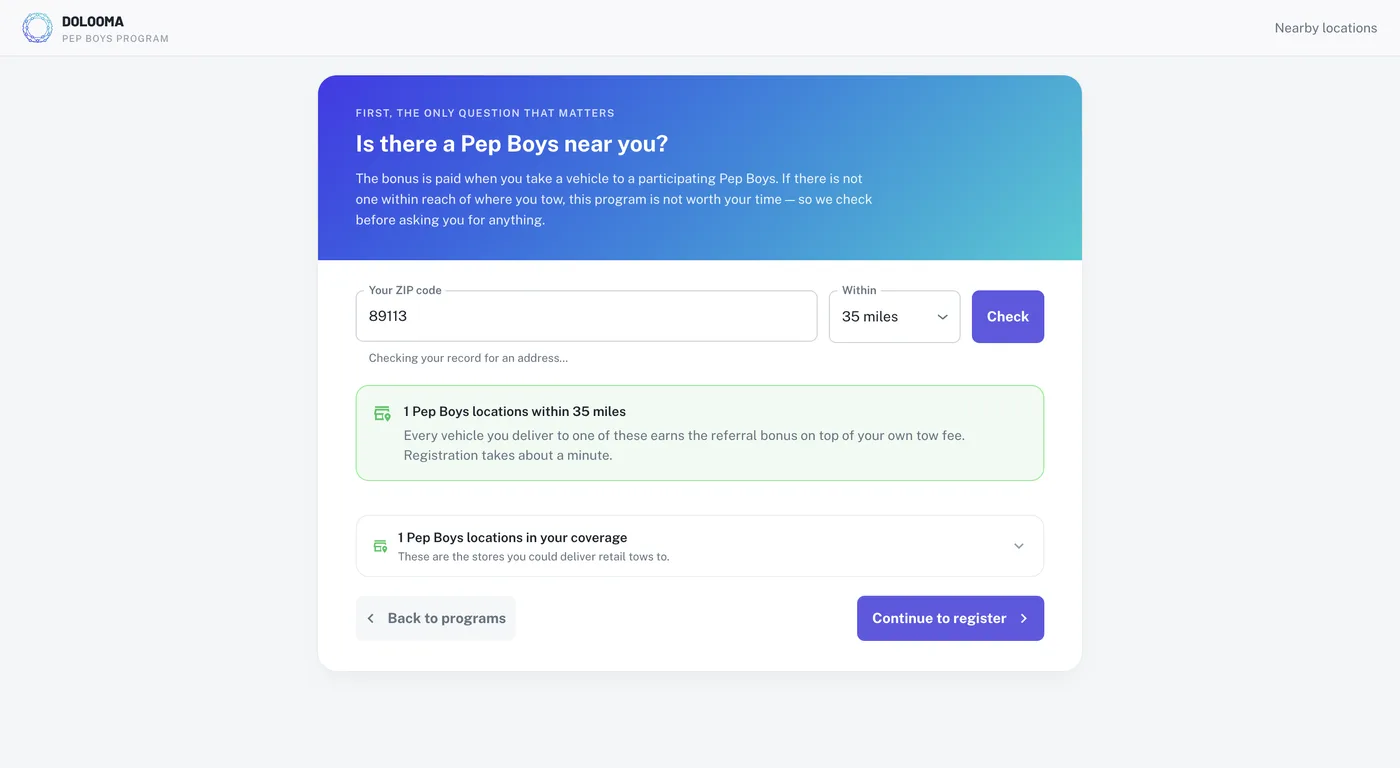
The bonus is only paid on vehicles delivered to a participating Pep Boys, so the first screen checks whether any are in range before asking you for anything.
Enter your ZIP code, pick a radius, and select Check. You will see how many participating locations fall within that radius, and how many sit inside your existing coverage area. Expand the second panel to see the individual stores.
If there is at least one, select Continue to register.
Register your company
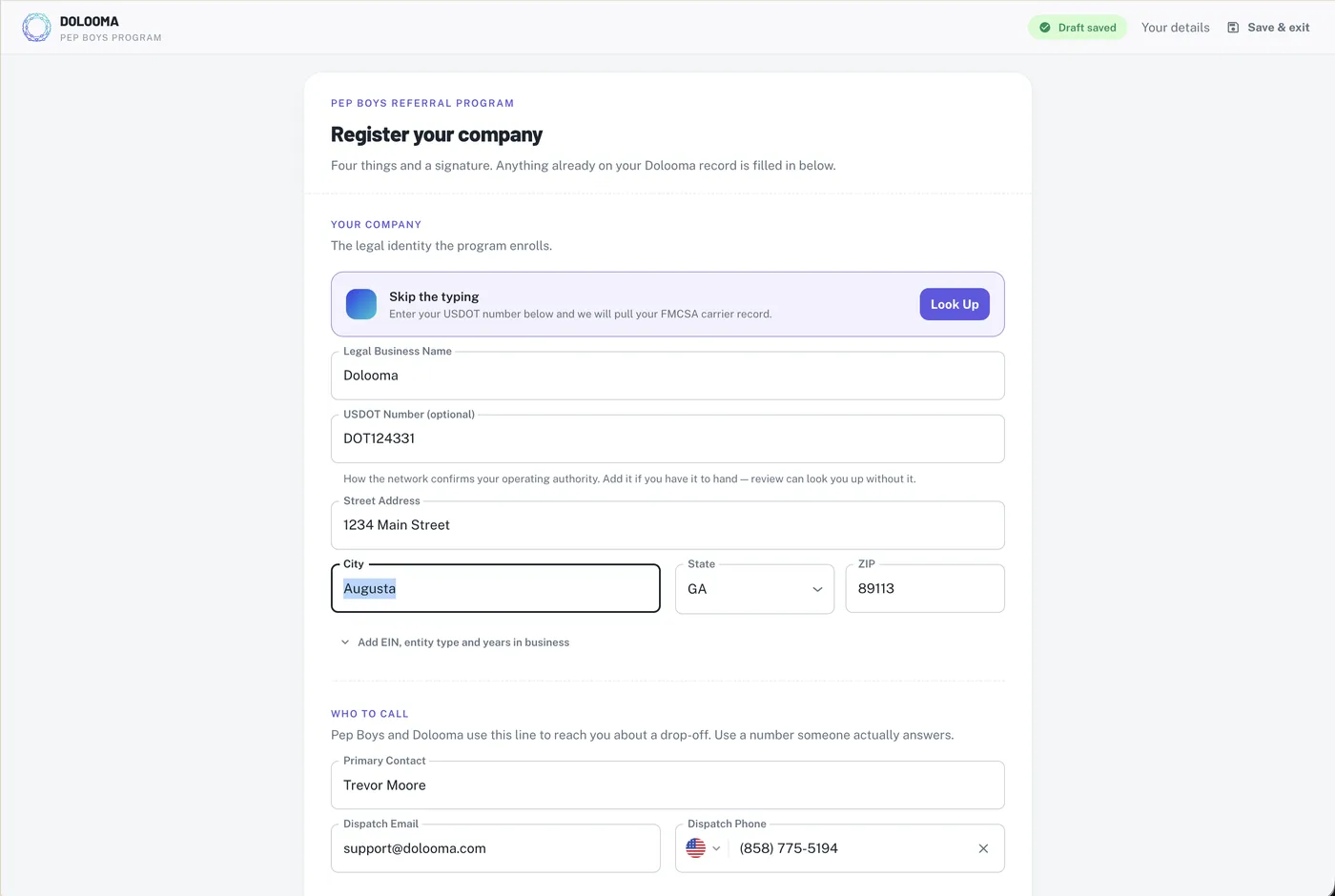
This is the legal identity the program enrolls. Anything already on your Dolooma record is filled in for you.
If you have your USDOT number, enter it and select Look Up. That pulls your FMCSA carrier record and fills in the rest, which is faster and less error-prone than typing it.
| Field | What to enter |
|---|---|
| Legal Business Name | Your legal business name, as it appears on your invoices |
| USDOT Number | How the network confirms your operating authority |
| Street Address, City, State, ZIP | Your primary business address |
There is an Add EIN, entity type and years in business link if you want to add those now. They are not required.
Give Pep Boys a number someone answers
Under Who to call, enter your primary contact, dispatch email, and dispatch phone. Pep Boys and Dolooma use this line to reach you about a drop-off, so use a number that gets picked up rather than an owner’s cell that goes to voicemail.
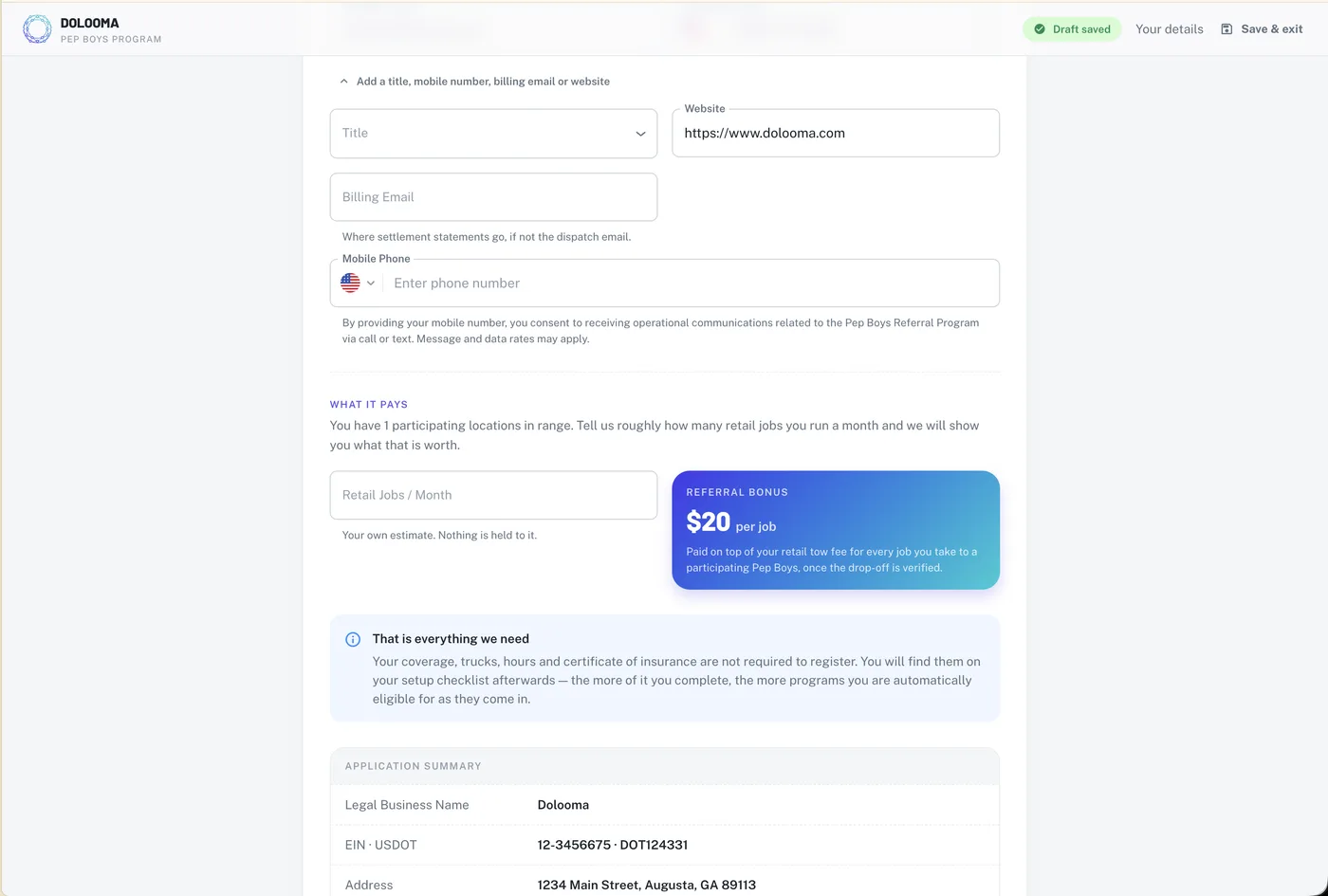
Add a title, mobile number, billing email or website expands the optional fields. Two are worth a look:
- Billing Email. Where settlement statements go, if that is not the same as your dispatch email.
- Mobile Phone. Adding it opts you in to calls and texts about the program. Message and data rates may apply.
Estimate your retail jobs per month
Under What it pays, enter roughly how many retail jobs you run in a month. It is your own estimate and nothing is held to it. The panel next to it shows what the program pays: $20 per job, on top of your retail tow fee, once the drop-off is verified.
Review the summary, accept, and sign
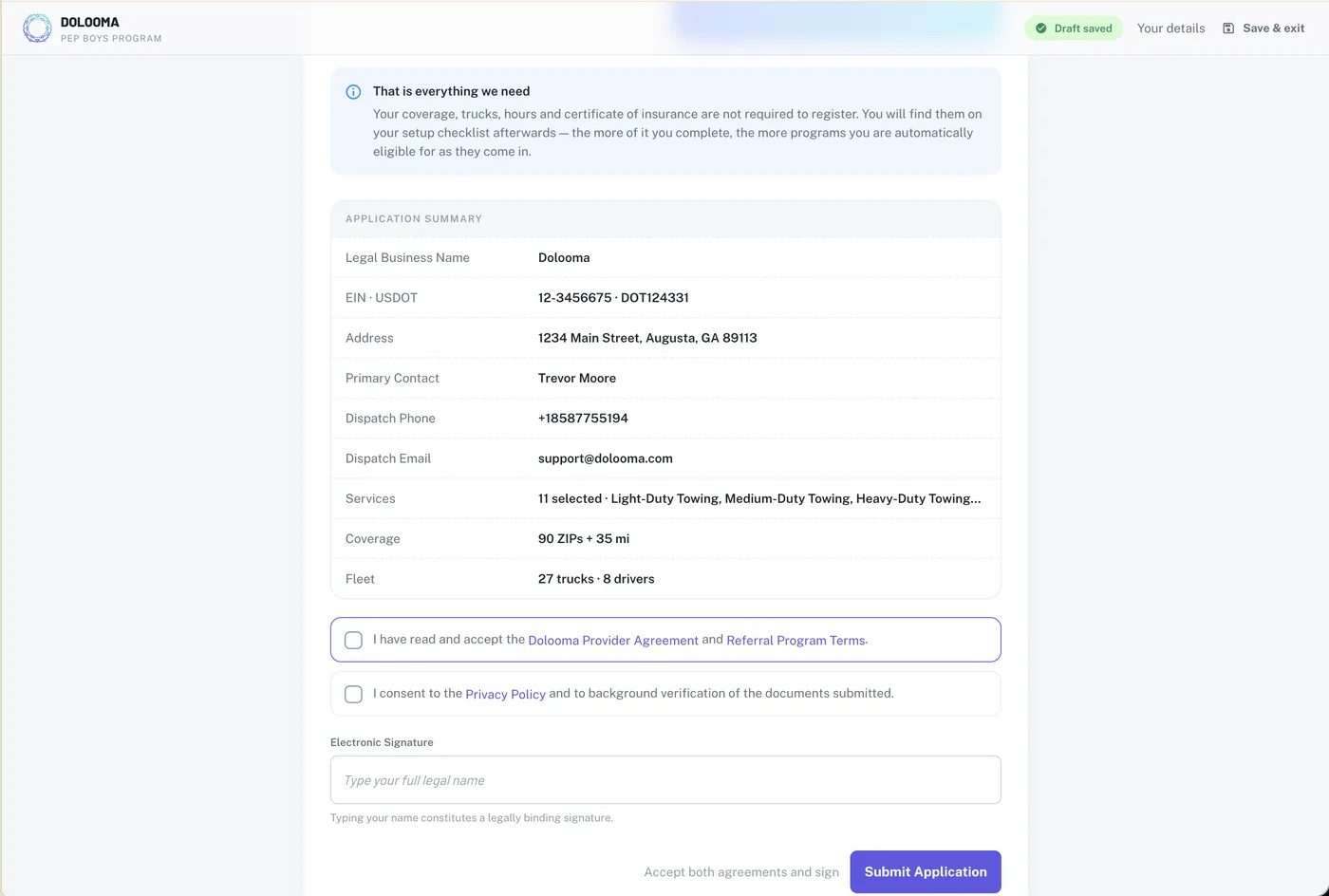
The application summary shows everything the program is enrolling: your business name, EIN and USDOT, address, contacts, services, coverage, and fleet. Check it reads correctly before you sign.
Then tick both boxes and sign:
- Dolooma Provider Agreement and Referral Program Terms.
- Privacy Policy, plus consent to background verification of the documents you submitted.
Type your full legal name in the Electronic Signature field. Typing your name constitutes a legally binding signature. Submit Application stays greyed out until both boxes are ticked and the signature is filled in.
Never logged in to Dolooma before?
This flow assumes you already have an account, because registration happens inside the app. If you have never logged in, you will need to set up your account first.
What happens next
- Your fleet is enrolled. There is nothing to switch on truck by truck.
- Work through your setup checklist. Coverage, trucks, hours, and your certificate of insurance all live there.
- Make sure your drivers have the Dolooma Driver app installed and signed in, because referrals are finished on the phone at the drop-off.
Program details, eligibility and the participating-store map are on the Pep Boys program page on partnerhub.
Pep Boys is a registered trademark of its respective owner. Program eligibility and bonus amounts are subject to verification. Program availability and terms are subject to change.