Driver: finish a referral at the drop-off
Two photos at the lot and submit. The whole job on a driver login.
Your office filed the referral. Your part is two photos at the Pep Boys lot and a tap on submit. There is nothing to fill in and nothing to remember on the way there.
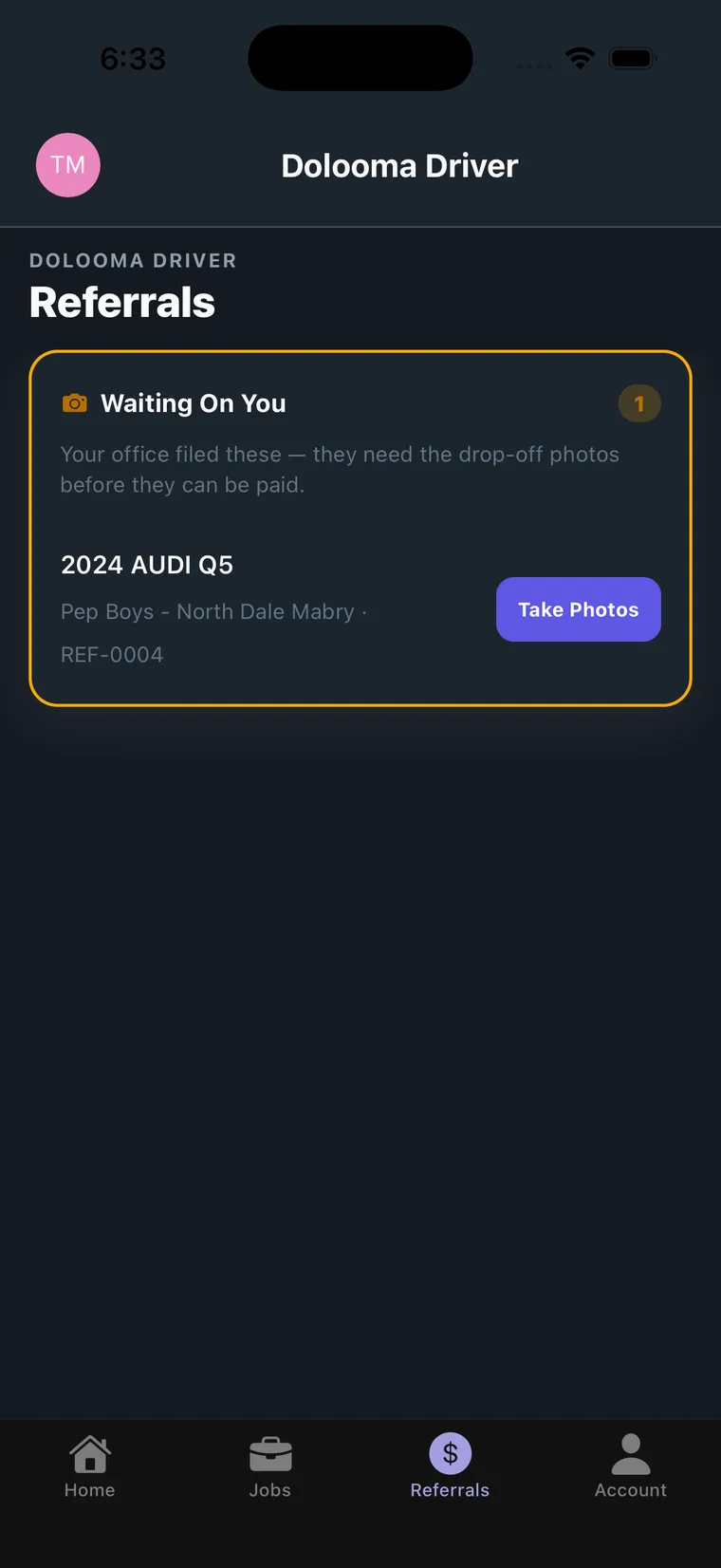
Open the Referrals tab
Referrals is in the bottom bar, alongside Home, Jobs and Account. Anything that needs your camera is in the orange Waiting On You card, with the vehicle, the store and the referral ID.
Tap Take Photos.
On site, capture both photos
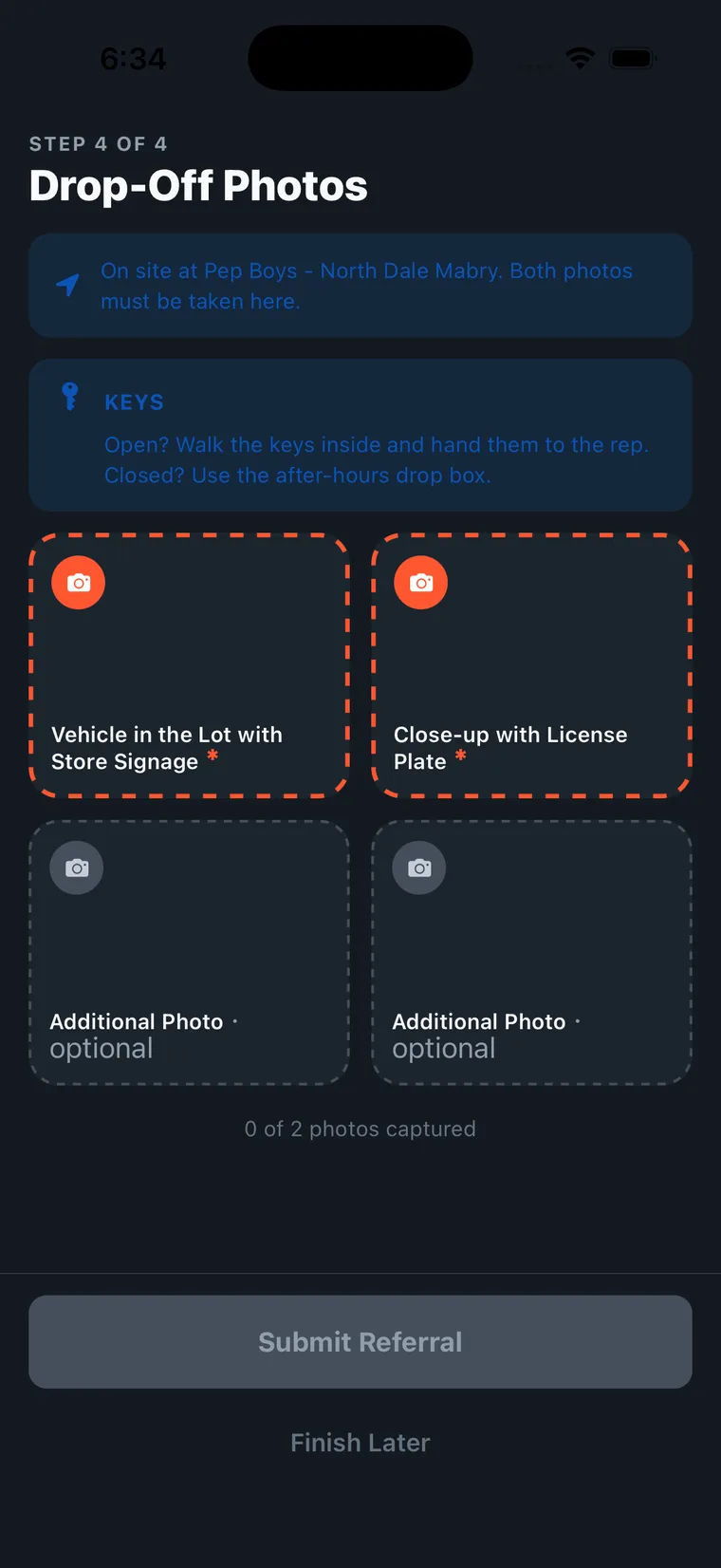
The banner confirms you are at the right store. The two orange tiles are required:
| Required photo | What it needs to show |
|---|---|
| Vehicle in the Lot with Store Signage | The vehicle off the truck, on Pep Boys property, with the store sign in frame |
| Close-up with License Plate | Make, model and plate all readable |
Two more tiles are optional, for damage or anything else worth showing. The counter underneath tracks progress, and Submit Referral stays greyed out until both required photos are captured.
Finish Later keeps the referral open if you get pulled away, but the photos still have to be taken at the store, so it only helps if you are coming back.
Deal with the keys, then submit
If the store is open, walk the keys inside and hand them to the service rep. If it is closed, use the after-hours drop box. The reminder is on screen throughout.
Tap Submit Referral. That is your part finished.
What you cannot do from a driver login
Filing referrals is done by your office. On a driver account there is no button to start one, and you cannot reassign a referral to someone else. If a referral has landed with you by mistake, or the vehicle is going in on a different truck, tell your dispatcher and they will move it.
If something goes wrong
- A photo came out badly. Retake it before you submit. Once submitted it goes to verification as it is.
- You already left the lot. Tell your dispatcher straight away. The photos cannot be taken anywhere else.
- The store is closed. Still take both photos, use the drop box for the keys, and submit as normal.
- Nothing is in Waiting On You but you just did a Pep Boys drop. Your office may not have filed it yet. Ask them before you leave the lot, because the photos have to be taken there.
Why it matters
Each approved referral pays your company $20 on top of the tow. The photos are what the drop-off is verified against, so a referral without them does not get paid.
Program details, eligibility and the participating-store map are on the Pep Boys program page on partnerhub.
Pep Boys is a registered trademark of its respective owner. Program eligibility and bonus amounts are subject to verification. Program availability and terms are subject to change.