A dispatcher starts it, a driver finishes it
The most common setup. Dispatch files the referral on the web, the driver adds the two photos at the Pep Boys lot.
File the referral from the web while the job is fresh, and send it to the driver to add the two drop-off photos from their phone. Four steps for you, the rest is theirs.
Part 1 — Dispatcher
In the web portal. Steps 1 to 3 are identical to filing it yourself, so the only difference is step 4.
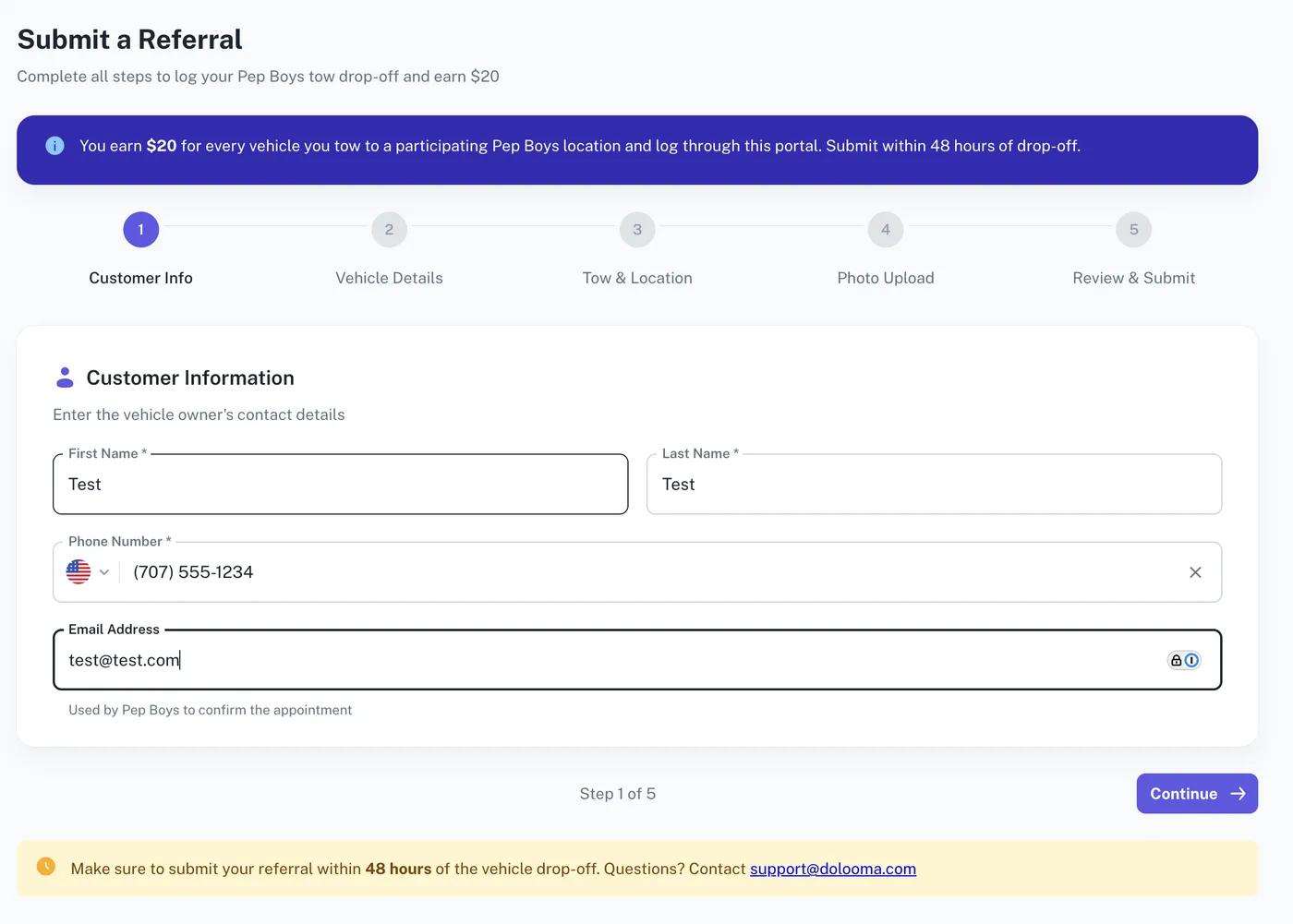
Customer info
Enter the vehicle owner’s first name, last name and phone number. Email is optional, and Pep Boys uses it to confirm the appointment, so it is worth adding when you have it.
Vehicle details
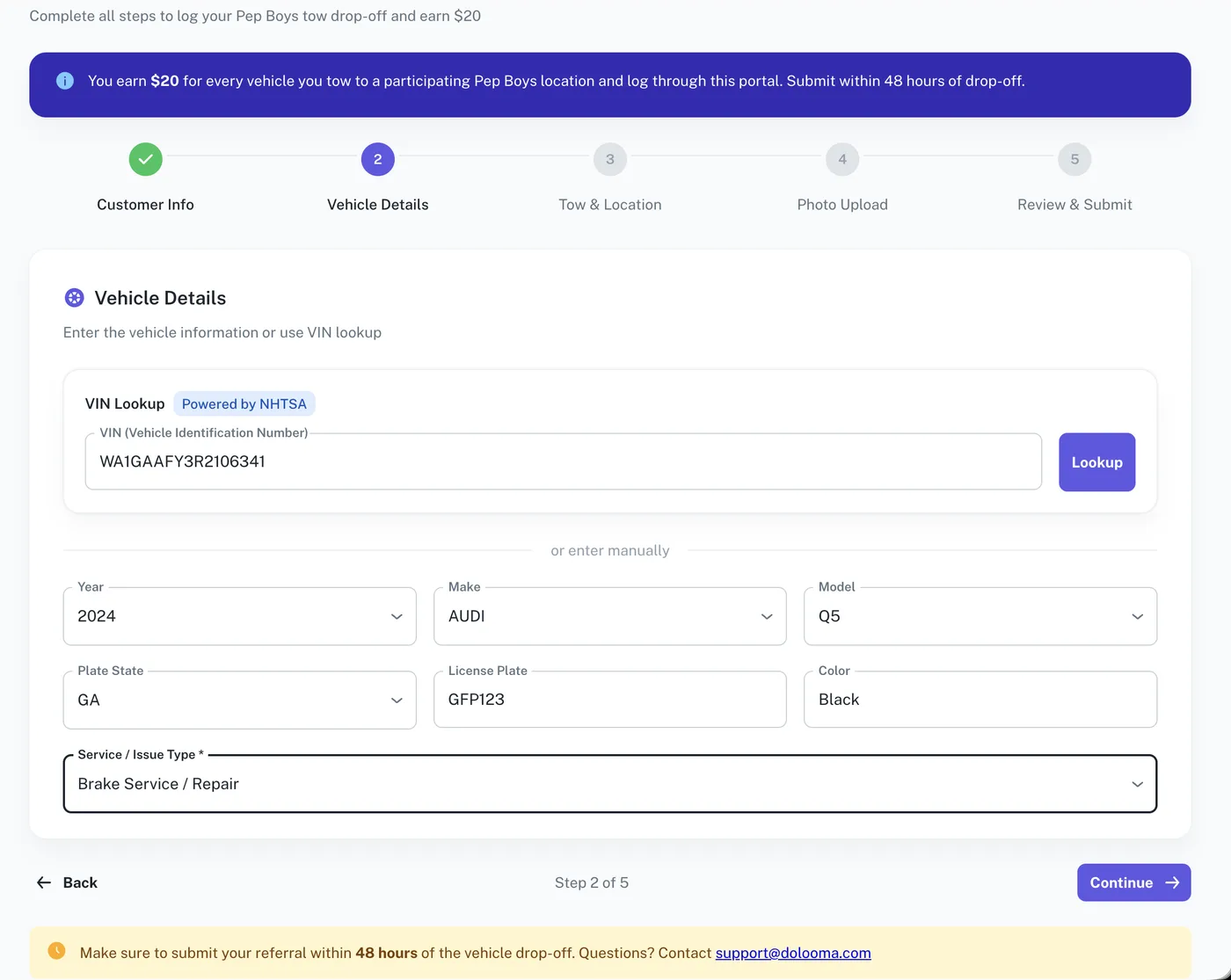
Paste the VIN and select Lookup. The NHTSA lookup fills in year, make and model for you. Otherwise enter them by hand.
Then add plate state, license plate and color, and pick a Service / Issue Type for what the vehicle is going in for. Service type is required.
Tow and location details
Search for the pickup address. You do not have to be at the pickup to file this, but if you are, I’m at the pickup drops the pin on your current position, and Adjust pin on map lets you move it.
Then choose the Pep Boys Drop-off Location. The list puts the nearest stores to the pickup first. Set the drop-off date and time, to the nearest 15 minutes.
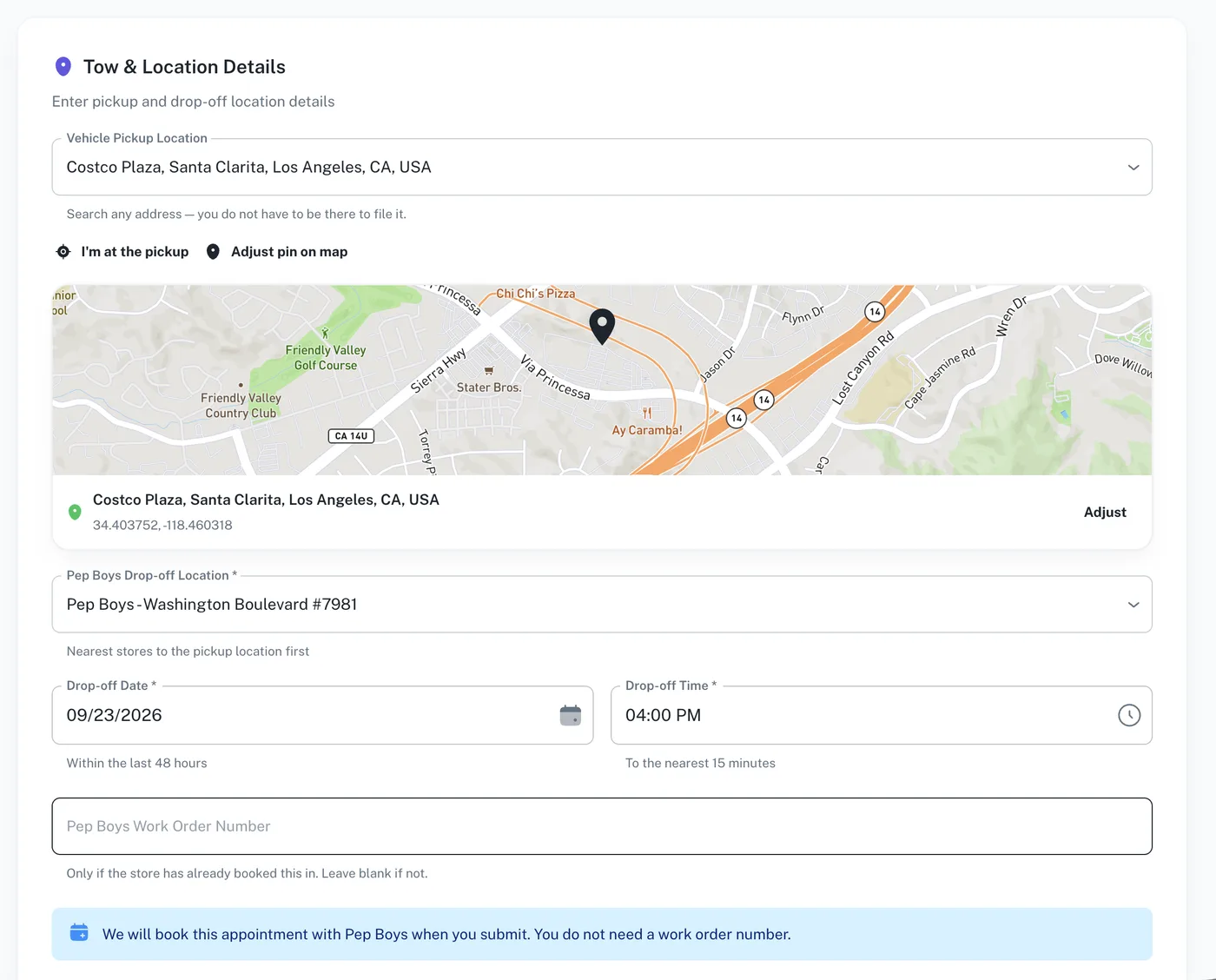
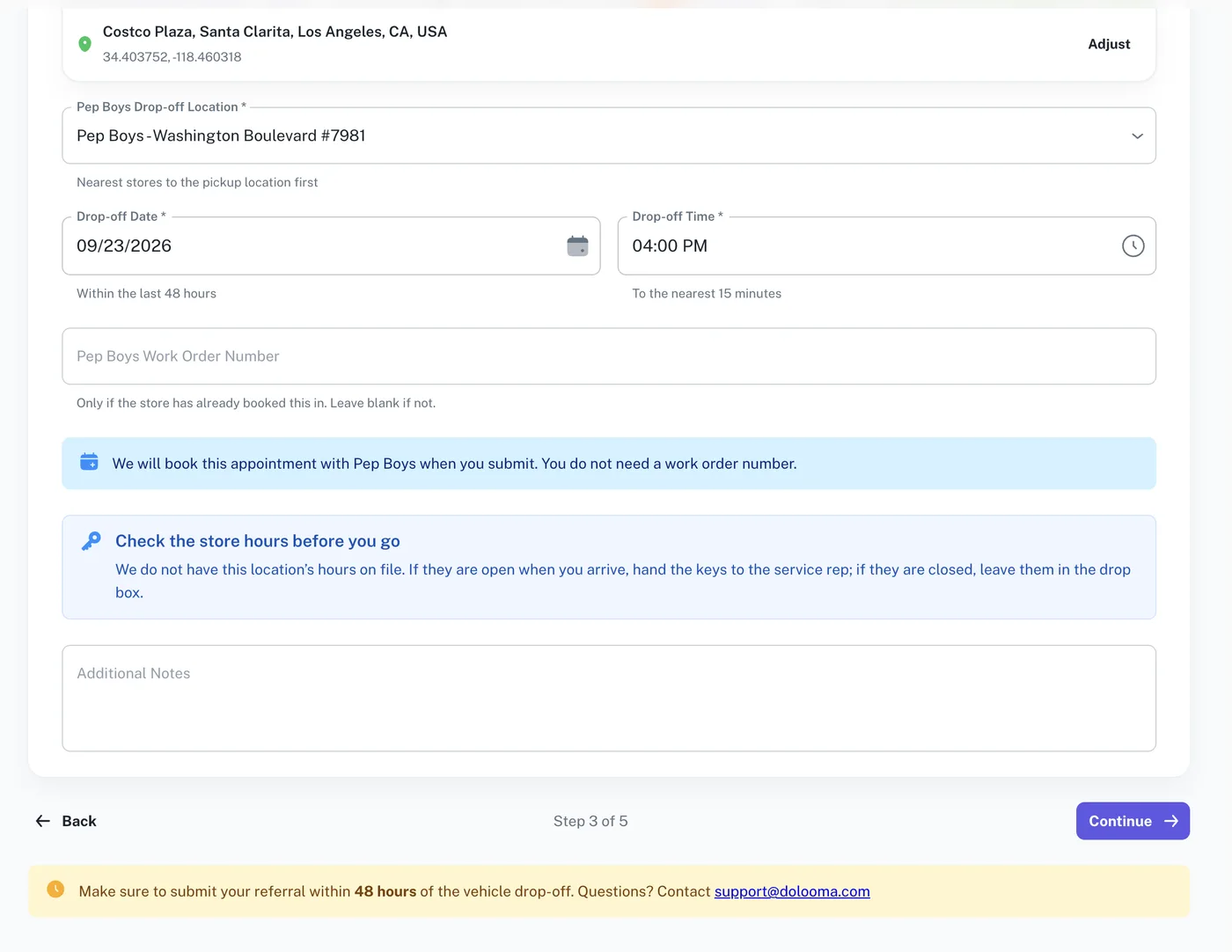
Pep Boys Work Order Number is optional. Only fill it in if the store has already booked the job. If you leave it blank, Dolooma books the appointment with Pep Boys when you submit.
Additional Notes is free text for anything the store should know.
Send it to the driver
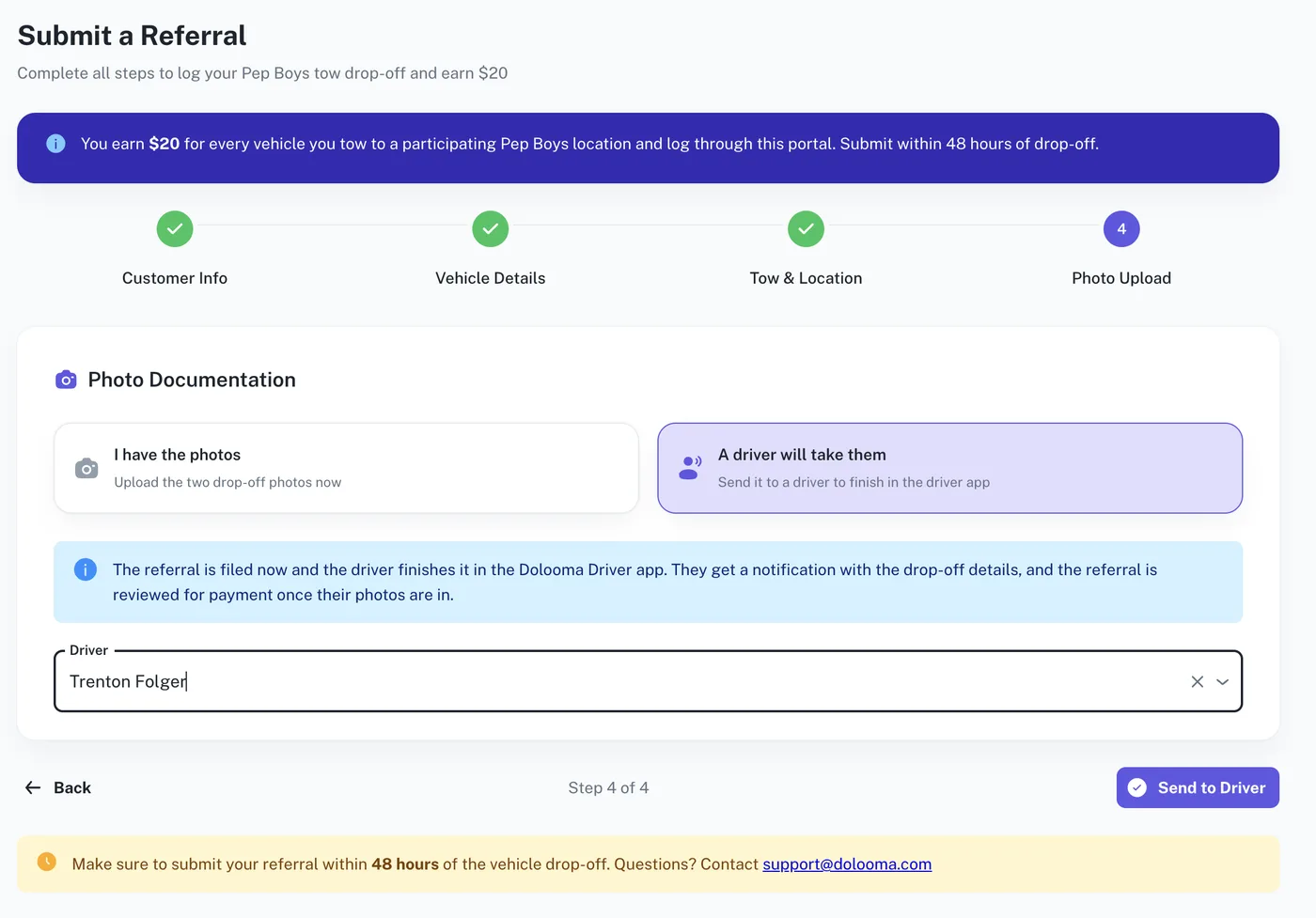
At step 4, choose A driver will take them. The step counter changes to Step 4 of 4, because the review screen belongs to whoever uploads the photos.
Pick the driver from the Driver list, then select Send to Driver.
Part 2 — Driver
In the Dolooma Driver app. Two photos at the Pep Boys lot.
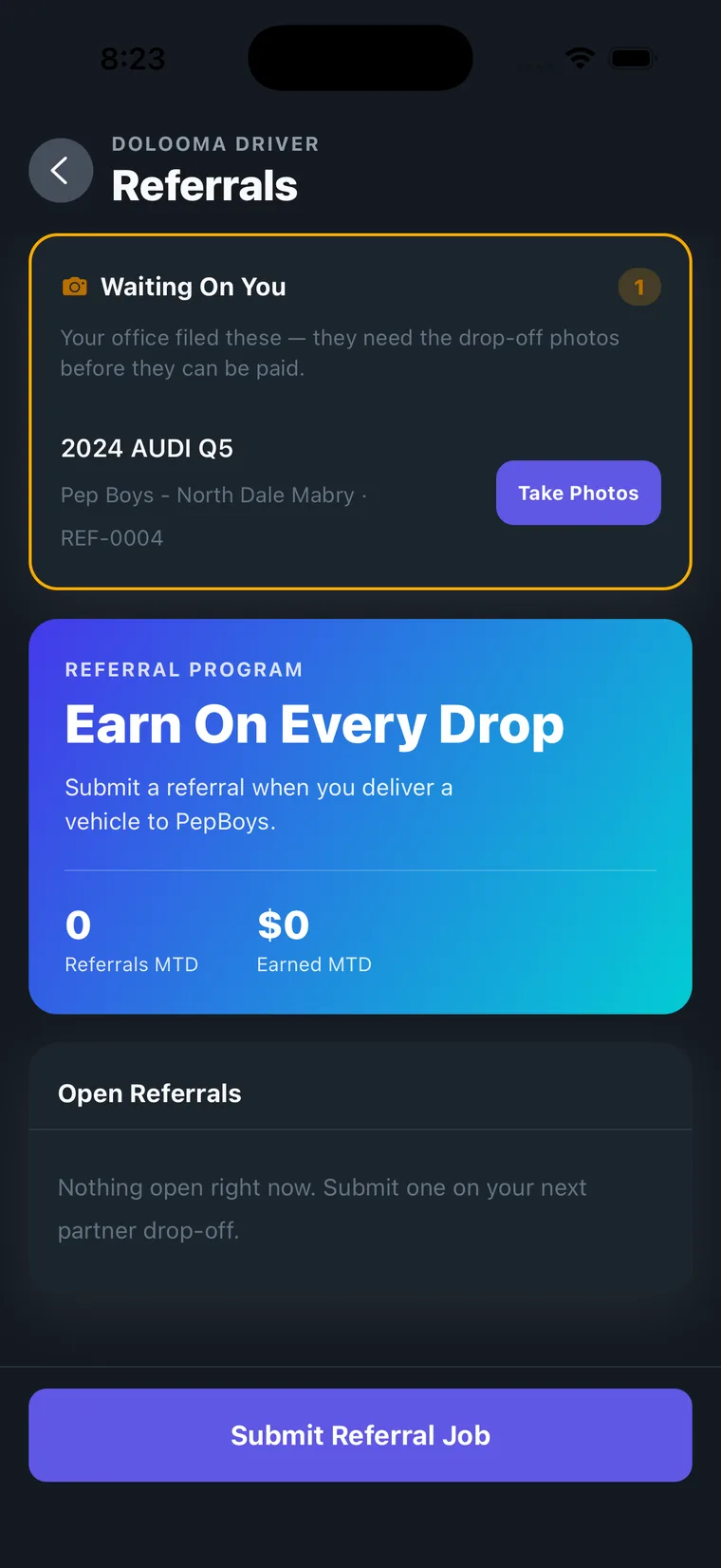
It lands in the driver’s Waiting On You
The referral appears at the top of the driver’s Referrals screen in an orange Waiting On You card, labelled as filed by the office and needing drop-off photos before it can be paid. They also get a notification with the details.
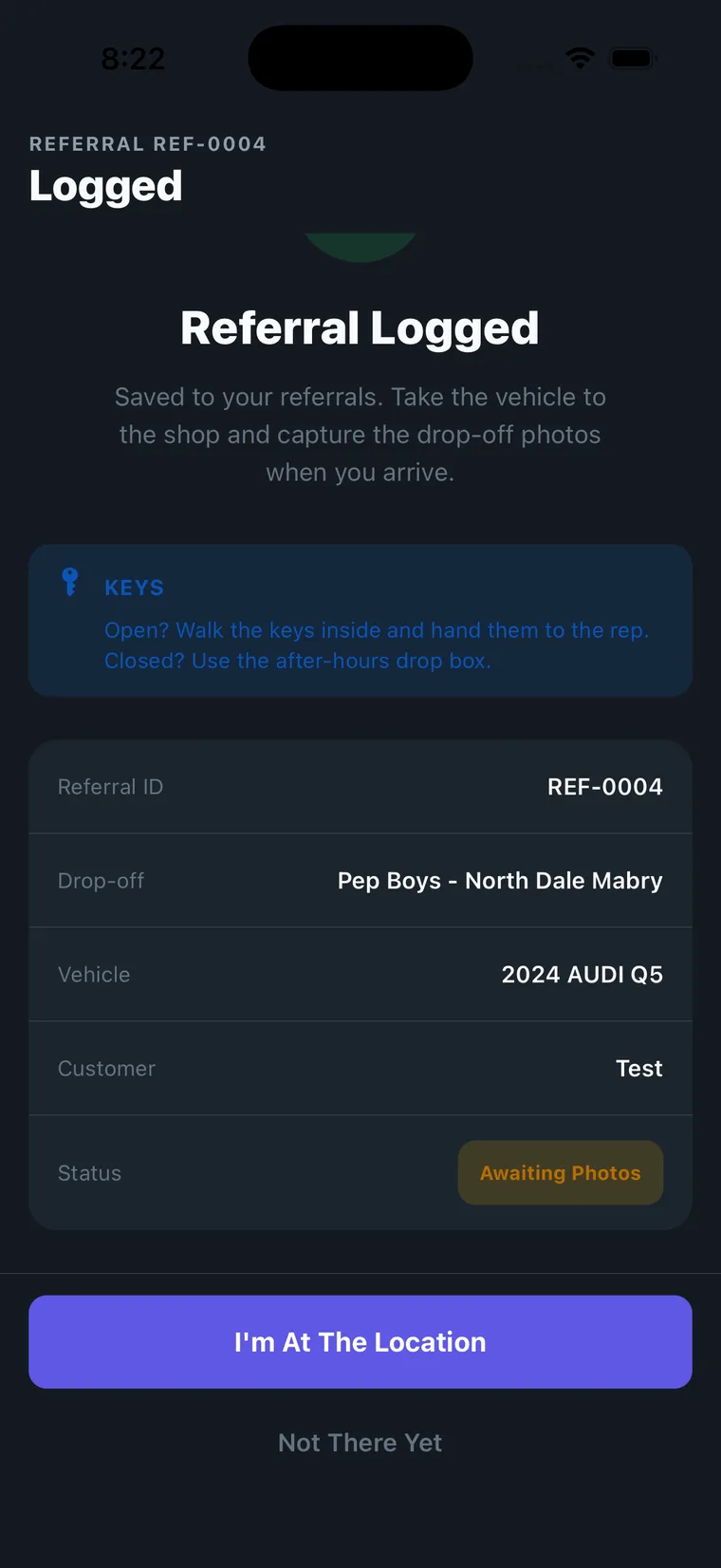
On site, they take the two photos and submit
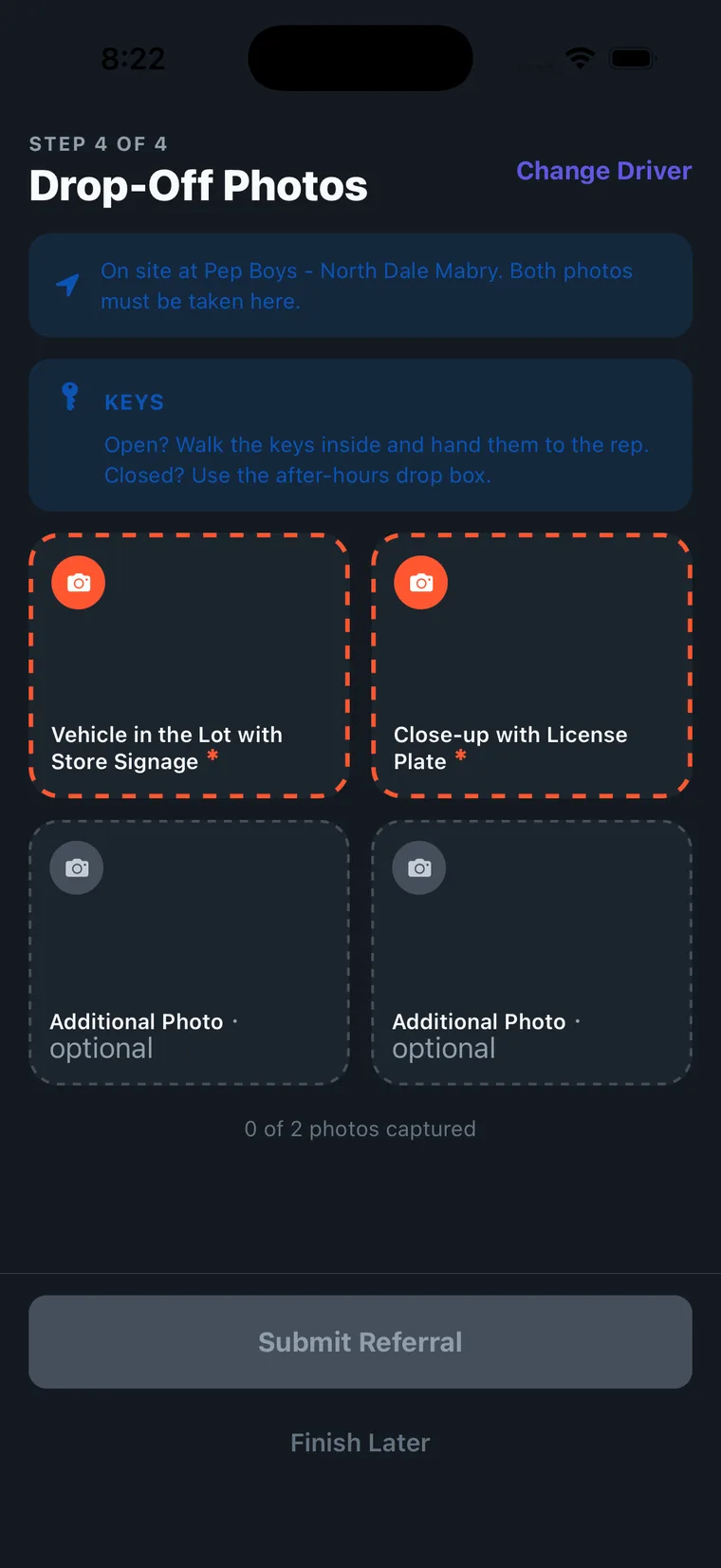
Once they tap I’m At The Location, the app confirms they are at the right store and opens the two required photo tiles.
| Required photo | What it needs to show |
|---|---|
| Vehicle in the Lot with Store Signage | The vehicle off the truck, on Pep Boys property, with the store sign in frame |
| Close-up with License Plate | Make, model and plate all readable |
Submit Referral stays disabled until both are captured.
Why send it rather than wait
Filing the referral at dispatch means the customer, vehicle and location details are entered while someone still has them to hand, and the 48-hour clock is not being spent waiting for a driver to get back to the yard. The driver only has to add two photos.
If something goes wrong
- Wrong driver assigned. Whoever has the referral can reassign it with Change Driver on the photos screen.
- The driver has not uploaded the photos. It stays in their Open Referrals as Awaiting Photos. They can use Finish Later and come back, but only while they are still at the store.
- The driver has already sent you the photos. Use I have the photos at step 4 and finish it yourself.
Getting paid
Once the driver’s photos are in, the referral goes to verification. On approval, $20 is paid on top of your retail tow fee.
Program details, eligibility and the participating-store map are on the Pep Boys program page on partnerhub.
Pep Boys is a registered trademark of its respective owner. Program eligibility and bonus amounts are subject to verification. Program availability and terms are subject to change.